



RECOMMENDED FOR MOST USERS

Private AI.
On

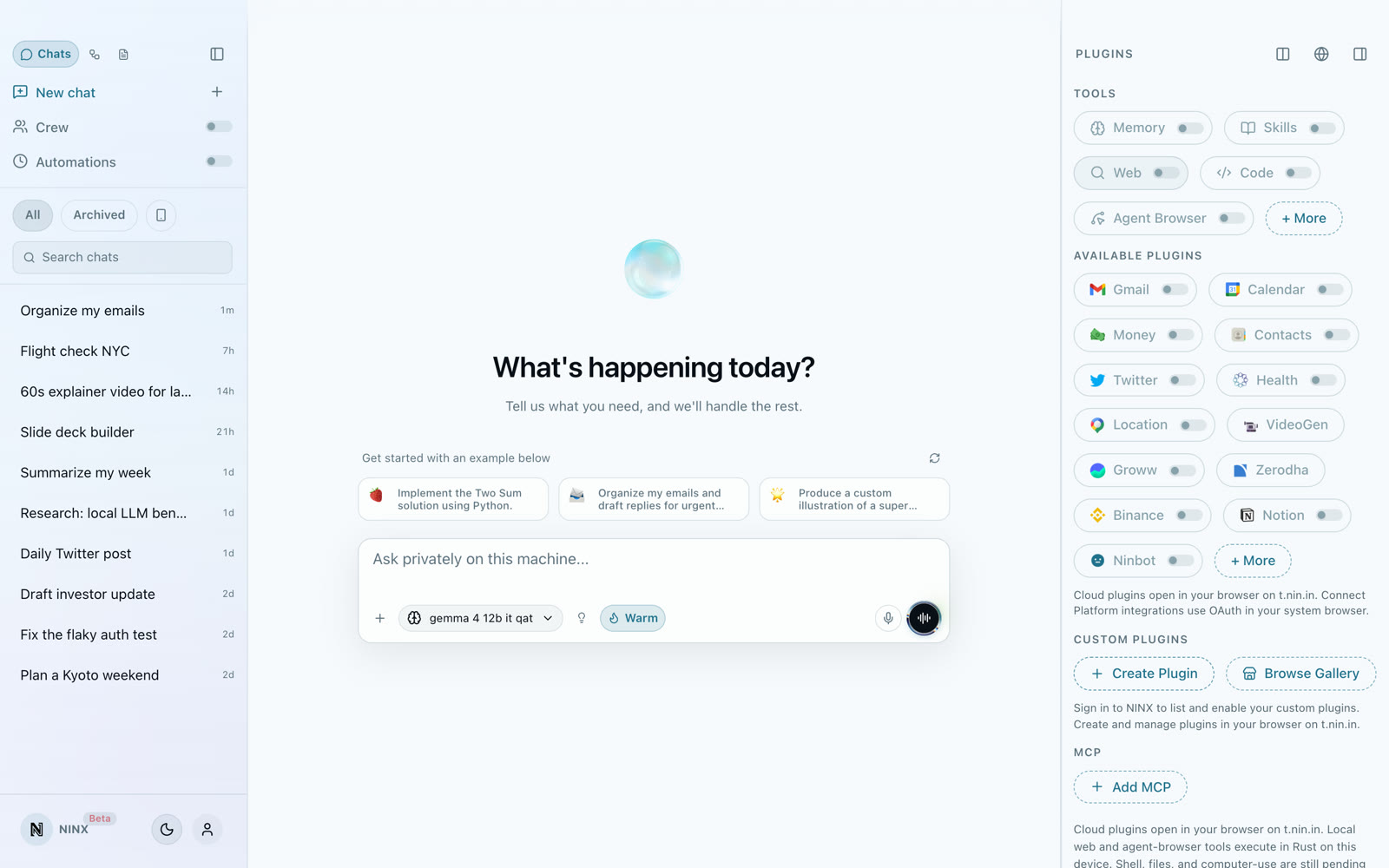
NINX runs locally on your Mac or PC. Chat, InkFlow dictation, on-device voice, tools, and automations, zero data leaves your machine by default.

▶ INSERT DISK: NINX_LOCAL.EXE
NINX DESKTOP AGENT
HOST: YOUR MACHINE
CARGO: PRIVATE DATA
DEST: NEVER LEAVES
ACTIVE MISSION

Approve tools locally. Keep every chat, voice turn, and automation on your machine.

ON-DEVICE~20 MB<3s BOOTVOICELOCKEDAPPROVAL
PLAYER STATS

LVL 01 · Private Desktop

HP ████████░░

PRIV ██████████

[OK] boot: ninx desktop agent[OK] inference: qwen3-8b (local)[OK] inkflow: dictate · instruct · transform[OK] voice: on-device STT/TTS[OK] plugins: gmail, shell, mcp[OK] privacy: zero cloud default> press play to watch demo_[OK] boot: ninx desktop agent[OK] inference: qwen3-8b (local)[OK] inkflow: dictate · instruct · transform[OK] voice: on-device STT/TTS[OK] plugins: gmail, shell, mcp[OK] privacy: zero cloud default> press play to watch demo_
Mac + Windows · Free to start
INSTALL
FREE TO START · MAC + WINDOWS

NINX

Recommended

Private desktop agent. ~20 MB. Fully local by default.

Coming soonWindows
Built for real desktops

Private, fast, and ready the moment you install.

macOSWindows
Offline
works without internet
~20 MB
lightweight installer
<3s
cold start time
SOC 2
enterprise-grade security
PrivateLocalOn-deviceInkFlowWhisperShellGmailMCPAutomationsYour keysPrivateLocalOn-deviceInkFlowWhisperShellGmailMCPAutomationsYour keys
WHY NINX

Everything you expect. Nothing leaves your machine.

0cloud calls by default
Private by default

Chats, tools, and inference stay on your device. Cloud plugins are strictly opt-in.

~20MBinstaller size
Instant & lightweight

~20 MB installer. Cold start in seconds. Local streaming with zero latency.

10+local tool types
Agentic & automatable

NinCrew, browser agents, on-device voice, local shell, web tools, and automations that run locally.

BYOKbring your own keys
Your keys, your models

Use powerful local GGUF models or bring your own OpenAI, Anthropic, or Google keys.

DEEP DIVE

Three ways NINX earns the desktop.

Hover a card to expand — local agent, voice writing, and automations under your approval.

01

Local agent

Chat + tools on your machine

Warm local models, shell, browser, and approved connectors — inference stays on-device unless you opt into a cloud plugin.

Private by default

No silent cloud hop

On-device Whisper

InkFlow dictation

Shell + browser

Tools you approve

Local models

Warm on your disk

Crews

Automations with consent

Private by default

No silent cloud hop

On-device Whisper

InkFlow dictation

Shell + browser

Tools you approve

Local models

Warm on your disk

Crews

Automations with consent

Private by default

No silent cloud hop

On-device Whisper

InkFlow dictation

Shell + browser

Tools you approve

Local models

Warm on your disk

Crews

Automations with consent

Private by default

No silent cloud hop

On-device Whisper

InkFlow dictation

Shell + browser

Tools you approve

Local models

Warm on your disk

Crews

Automations with consent

FLOW

One desktop agent. Three beats.

Scroll the story — local chat, InkFlow writing, and crews that stay under approval.

01

Local agent on your desktop

Chat, tools, and warm models stay on Mac or PC. Inference stays on-device unless you opt into a cloud plugin.

02

InkFlow writes everywhere

System-wide dictation with on-device Whisper. Paste at the cursor in Slack, Docs, Mail, or your IDE.

03

Crews under your approval

Automations and NinCrew flows run with consent. Private by default — automatable when you want.

WHY NINX

Highlights that hold up day to day.

Auto-advances — hover to pause.

DEFAULT

Zero data leaves by default

Local models, local tools, local history. Cloud is an opt-in plugin — never a silent fallback.

START HERE

How to, demo, and use cases.

Product truth only — no Ninjapay reviews.

From download to first local chat

Install NINX, pick a local model, and start chatting — inference stays on your machine unless you opt into a cloud plugin.

  • Download for Mac or Windows
  • Warm a local model once
  • Chat, InkFlow, and tools under your approval
How NINX stacks up

NINX vs popular AI desktops

The only local-first private agent with on-device voice, compared to Codex, Perplexity, ChatGPT, and Claude Desktop.

NINX leads on 6 of 8 dimensions
DimensionNINX
RECOMMENDED
CodexPerplexityChatGPTClaudeEdge
Primary focusPrivate desktop agent for chat, voice, automations, email, and researchCode editing, refactoring, IDE assistanceAI search with citations & researchGeneral conversational AI & productivityAdvanced reasoning & artifacts (Claude Desktop)
Privacy & dataLocal-first, on-device by defaultMixed, code often processed in cloudCloud-basedCloud-basedCloud-basedNINX
On-device inferenceYes. GGUF models and bring your own keysLimitedNoNoNoNINX
Offline supportStrong. Chat, tools, and on-device voice work offlinePartialRequires internetRequires internetRequires internetNINX
Voice modeOn-device voice agent with local STT, chat, TTS, barge-in, and full toolsNo dedicated voice modeCloud voice searchCloud Advanced VoiceCloud-based voice (limited)NINX
Agentic toolsBroad: browser, shell, email, brokers, NinCrew, voice with toolsCode execution, file edits, diffsSearch-focused with sourcesBrowsing, code interpreter, custom GPTsComputer use, artifacts, strong reasoningNINX
Size & startup~20 MB, instant cold startVaries (often IDE-sized)Light desktop appLight desktop appLight desktop appNINX
Best forPrivate daily driver for any taskSoftware development workflowsFast, sourced researchEveryday chat and general useComplex reasoning and creative work
BUILT DIFFERENT

Local by design.
Powerful by default.

NINX was built from the ground up to keep your work private and responsive without ever talking to a server unless you choose.

Works offline No server required
100% local inference, voice, and tool execution
Explicit per-tool approvals
No telemetry or cloud sync required
Works completely offline, including on-device voice

If35M37B12WFrBdF3lsF8ZQE6uHFr7Bc1K5kBhbXlpNMaiDPvZXZsScnnqY5uoGxc3QrFElDpxfepmZnj9HXlxJ997D5BmMu5w4wnufRYB7fzE6M4hEJMEQeVHDrY0MzChob0N0bIxL80XPWoCdf8Sewf3Y5vPE7ctxdvnPRfgOe0DkD3XaAHoNgo3ZvFBoed60yFKJa0TwJfs9KriQmCAQAO3shglpBGr9nPy61gbU6OIEVcxvJ0uw1wntBF6ZLeVyvMuVuWPfBIMPbgs8N4hL4wJKzxtDdCphBxnVlURBhXzAF003pK3CZXn7p3NgFtpE4nTnDOJKMIwg2LlVmvAvG26VXDvWpGwPRY3Eo0y0MkrAMEMEDBya7WQxaoPQEhIkcmotzoq0bwTezpoAHXKTz0IjFX2pg3dn93LNqolLXDgZo7JFnioXNbcs65CB543qeoTAmsvzmeU0a9RR9QBcaAs3uUtC9pNqnF7T9KWry4DZXdly2TFdFJpe4XIKSoSgX3zIl9wqECq097yEfKgOgmIkb7OxVMafVaHzIz9zy2LRaZT6QIDn22G9aifMgy9Vv5zRIXviyjRy6QqucMt7ot3KR9ZyIdnYBwgWyl488nQWuHjJ1Q0YOSTQUhKCDM21PAHinAqCvENZZ4JKiPukRkHkzvAmGeluGXXFkS7MxYpvyHjthzQHnnzOMxwMjhT5mGYwrZTmksVyki8oN7CI07bZAIW6YW3nl9Y6g2HmCOx9mqe8u2xBgXSpnpWLNGSo0YPehmSRy1GXeLLUHLU9EsZtFEKjFQasdcpYlBX11tOglDbTPRRrSN1U7oYd47q5g4EusE6n1YJ2c3SSSKH8SK7yucvy5ZQp6mDFSmDmqFf91Rk7IPwcxmkFS3E8Y10EnGNUCqlzVGVFSq3E5WTxrbyscFXEwX8nC2GTjly8N3AhAmvItSxwcJ67LoKPcZpN1jrCajWEqIuHjKzrG4SQQicJfNA9b1VADc7W4YPsdpA2xPykHM6Brut7jqTQc693QE2ODZ2gRoPV58GuoAOI75AlI1HbdKhfkf9IlFupQOmuD6of6JXTkHQR8Lk5SAkcqKRACu0sZYc1CiLcek3iVenMpCaLsGQHnSWwS3vqKwbi7FXhNgZfLB03K5sanLqciKyC1PUhKvbHgem1waCq8URPsk3uEPVW75ZP53odnRqQBpqSpv8VSjFFuNeyA0JOzQ4zoKge3yY06rlEsjtkADiKUBlPRAr1C1WguS4o4Mk4KOOzTEo8xvoQ3WCvBut6Aj013h3hEKievHTISvtPEUeFmdDNrZRek2JcjA25hFd3U3sbbzRlAddlbaUWnneKKJVPgU4Qr2hMC627crZm72VwRiYX3f1eD7reH5hizDyQ2PqBeFyRDLpfCnb1Sj5zH0f2HjFqIbIw9twI3oCeflHCvIGE7u4777gK6b0KhoWo61qrgqqMwN8Xd3lQqe0pJpwJEU7MPD31BcOW8UEJsKQUvANvMVrHQgNvdoTk5pvXJLoLxrQgO0Zvdi1kIzhqDjYV7OeLdr44SUdq4YmQC1ZOpoZV2mTnNRvU7SeK7CFluVmFi4ckrADxprqsDmtvgfBYCdzB6vz075zml7dypeSldCytCHNp4nllJCheFNmKqJTTgMkCPoUol8g0wsoj9Q3rxy7oS2htXMHB7BkwTssVult8Mz5NFgpMpCISDt9g2pAxC30AwHynyGmNsR2dTJfxtqgKMYDKqV4273hBK5DAnmSF4Q99qRMIToO5ucMUbpanFYNzlKttUtsAgF5NWsLlbT5zwk6LyKf3DjvjDutWSfqAMSW1WJfsJtpQWMyVObP3CIfdYgt1LNLlLTkQa2LSuQ7RR6YcUPKZNbApv1bXt1vHa4zdNwNcGu87bRjkeczUMWlB7AOF31x4Tm5FUF9monx45mQIJZmtHBz7To9GX3X0EjHU3rtEmOfn7Rte6iXnTr7HTEyc7yUSbdOYU7LmejIWdAwmsWMBXfKMZu1hd4WM0oIQHANl6g3aRfmyl1ZkGIekmjmVmlMPo9vjhVdYbGpcnACnS7J1wv8tcQ6dJZCowGlBKKwqqlBM1P9upZ0IVAhSZZ8NI50i7nxHI2NSzv3NY03ImeCBtya9ZZkkbryBnT9TvChXJTCfJz69tfWTH9cpei7SfXLKLzHjkm1hpj58gCpBqlvrRGmJRkUdsGiZdSFOoSmsmFoFOd63Xjis7XM0asQojzefUHdPpqkn6a6K5zB4GltoWlA9all2am1X68kSDQEszppa7gdkuklk0yBTbttLC3DTshzrSkazkHTsxNAyTD4iE5Ol0nrCCBsU3JSWBVkYOMLYclW702oj22NFhyWucTDmdvD71Bb6qrB3sfji3b6Z90v6spVHgsi1XDGstir7RsOHkWU8ensSz7uYtZ46xJ3UEnqSLQqahbUTJO7MFRHSjZeC2pkxmf21YaiBBcmWFff8Tc9eIQNhQJsWi6Tl60C44hcQjjlMy4K7fxtWZZ7pajQfyg68cqhLrxeykYM0wiOvBWQgVcqCLnRIFL0l8aTCtTv48wPUpvFptF44Qc9uS6ldOLw6JtgRWOfiGWqnxOTyrXyN63se4GGQjCSLqvHE4KxaGfhSvktG5uc2Pc591Y9pM1RpVY8ywsbcjGNniNVytRuIpS8ArdBqdXObDLFe0QmtQxP7hJj134G6HpoQqet9FRQ5Y5rvIkXqo11YWfiljP1WsHqJRUUfq2RAAqRimzRsu0yIPWzcBBWSapF9mH2rFT74akJRg5mS4Q8s29Mu2aeUcWKRPzlJ7W1lozC0YyDUe6pDlkIyoiEI3aHl3uSDqKnUnXGJMZBgxQFYYcj9uVfEUc93KwNIyZ4PM0FTPRtoMMVdGAitduOruCTYxhHawpAt9Qk5Dnqfd5wIhpwWwsKa2RYtDAK361n0rh3VgsBhRUBcAVIFoGAzP4izmx3aY4XvuxCkw0YE6Qh8A2ybDEcNK0gCCuKixas0CpXyYs9lENPGrAlCuNOuWr1fVmlfHCG77QLRUw3GUjyq5qeSApjm1dnUvCo5viBgTWz84bCK2V72fh7lqVt14TcDWoAPSxVYdfbVDvTyCICrdUaviZbVtMcTln1ixgFEjr9Lstp5uSRryOVbQNdaMoCtMchd0wMlFwPeebReq0yLYlEf6Cf68cJvHtpzikZGs7RdTAuTkrO2Vn0UrnjCIywDHYjNnA3JVHJN5FvimEM9mwkDOGCPpLYcLxz1D4Ewisx1EwUCnPWkBnVllgimDLQHiLGAbAYL1Cr2vAoLHQu0nea3wPUI5GzBm8tSNLGUL6zRpTXMFPrgEusDseTCFUx6uydOJJmfoSchLRmCqiOEpjgkhlAzHf9cuScLYadwDAFLcz2aPLmcKWDyi4X51gIN0iM7zhbfSIG7q40ifrAi8YZPjrmlcwlbhWX2oeWJginIDwekPfU7uFJeRsSZ3RkswHZba0UYdrY0H9FeZEH41xcJSyWS99fFOGJEUPsWb0EoDITpcdTn6cyEg2wuS6PB8xOAwkoE0oSTlRFfEZs1p2VrHdRIVb3bZXfEw1C10wBwBIj4c7klma8eVcuNS

Security & Compliance
CASA Certified
Independent security audit for desktop apps.
SOC 2 Type II
Rigorous controls on data handling & access.
Full User Control
Every action is visible and requires consent.
Your data is processed on the machine you own. Full stop.
REAL CAPABILITIES

Powerful local tools that just work.

Chat, on-device voice, and tools run on your machine. No data sent unless you explicitly approve a cloud plugin.

Inference
On-device inference with warm models, instant responses, and cancel anytime
Voice
On-device voice. Talk to your agent locally with STT, chat, TTS, and barge-in
InkFlow
InkFlow: dictate, instruct, or transform text in any app with global hotkeys and on-device Whisper
Tools
Local web search & fetch that never phones home by default
Agents
NinCrew, browser agents, and automations — each asks permission per domain or tool
Privacy
Plug in your own keys or use hosted plugins only when you want
Automations
Scheduled automations that run locally on your desktop
Integrations
MCP servers. Connect approved local tool servers from settings
Sync
Background sessions + seamless handoff to phone or web
DEMOS

Real demos across Gmail, brokers, shell, and more

Apps

Gmail

Search, organize, and respond to emails with simple commands. Genie reads your inbox, filters important messages, and drafts replies.

Loading...
INKFLOW

Speak. It writes everywhere.

System-wide dictation and voice commands — on-device Whisper, liquid-glass HUD, paste at your cursor in any app.

Dictate⇧ ShiftInstructCaps LockTransformChain
uhm so it kind of feels chaotic, like nobody really knows what's going on……feels like nobody really knows what's going on.
Removed Umm
like can you tell the team the uh the new build is ready…Can you tell the team the new build is ready?
Dropped fillers
yeah so just download it again and ping me if anything breaks…Download it again and ping me if anything breaks.
Cleaned phrasing
I think the installer is fixed so uh we should ship today…The installer is fixed — we should ship today.
Tightened copy
uhm so it kind of feels chaotic, like nobody really knows what's going on……feels like nobody really knows what's going on.
Removed Umm
like can you tell the team the uh the new build is ready…Can you tell the team the new build is ready?
Dropped fillers
yeah so just download it again and ping me if anything breaks…Download it again and ping me if anything breaks.
Cleaned phrasing
I think the installer is fixed so uh we should ship today…The installer is fixed — we should ship today.
Tightened copy
⇧ Dictate

Dear team,

Notes · anywhere on your Mac
WORKS IN

Works where your work already lives.

Gmail, Slack, WhatsApp, Docs, shell, and browser — NINX runs locally, asks before tools fire, and keeps sessions on your machine.

Comms
Gmail, Slack, WhatsApp — with approval
Docs & brief
Write and rewrite where files live
Shell & browser
Local tools, not a cloud copilot
GmailInbox · local toolsMail agent
To: client@…
Subject: Follow-up
Draft ready 3 threads summarized locally. Approve to send?
NINX · local session
YOU ASK

“find unread from finance and draft a reply…”

IT ACTS · ON DEVICE

NINX works inside Gmail with local tools and your approval — data stays on your desktop by default.

LOCALAPPROVALON-DEVICE

CHAT · MAIL · DOCS · SHELL · BROWSER · YOUR APPROVAL

One account. Everywhere.

Start on desktop. Finish anywhere.

Begin a task on NINX, check in on your phone, or continue in the browser. Everything stays in sync.

Desktop
Web
Mobile

One account · same sessions · pick up where you left off

You are here
NINX Desktop

Private agent on your Mac or PC. Local by default.

On the go
Ningenie iOS

Take NINX tasks with you. Android coming soon.

Ningenie — #12 Product of the Day on Product Hunt
Open
CONNECT PLATFORM

Plugins that connect your stack.

Self-host the open-source Connect platform and plug Gmail, brokers, shell, and MCP into NINX — with your approval on every connection.

Deep integrations

Works where your work already lives.

Gmail, brokers, shell, browser agents, and MCP servers, connected locally with your approval.

Email & calendarFinance & tradingDev & shellBrowser automation
Gmail
Calendar
Notion
Zerodha
Groww
Binance
Local Shell
Browser Agent
MCP Servers
Gmail
Calendar
Notion
Zerodha
Groww
Binance
Local Shell
Browser Agent
MCP Servers
Gmail
Calendar
Notion
Zerodha
Groww
Binance
Local Shell
Browser Agent
MCP Servers
Gmail
Calendar
Notion
Zerodha
Groww
Binance
Local Shell
Browser Agent
MCP Servers
Pricing

Free to start. Pay for updates, or cloud when you need it.

NINX desktop is free at your installed version. Paid tiers add automatic updates and optional cloud credits for hosted chat and automations.

Free
Full NINX desktop at the version you install.
$0
  • Core local tools, chat, and on-device voice
  • On-device models and automations
  • No paid app updates. Stay on your install build.
Most Popular
Updates
Keep NINX current with every release.
$2/mo
Monthly cloud credits50 credits
  • Everything in Free
  • Automatic app updates
  • 50 monthly cloud credits
Cloud credit
Cloud
Updates plus monthly cloud credit for hosted workloads.
$8.99/mo
Monthly cloud credits200 credits
  • Everything in Updates
  • 200 monthly cloud credits
  • Use credits for cloud chat and cloud automations

Free tier keeps your installed build. Paid plans apply across NINX, web, and mobile.

FAQ

Common questions

GET IN TOUCH

Questions about NINX?

Enterprise pilots, integrations, or product support — reach out anytime.

support@nin.in

YOUR DESKTOP AWAITS

Get NINX on your desktop.

The journey ends where your private AI begins. Download in seconds.

Mac (Apple Silicon) · Windows · Free to try
NINX